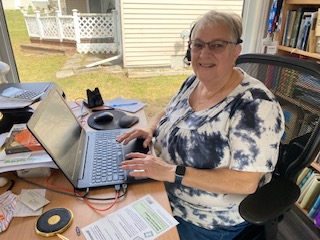
Nancy Coghill is a CARP Ambassador and part of the team at our Call Centre. In her regular columns, she offers advice on how best to work with CARP.
Having a CARP membership does not mean that you automatically have the ability to access your account information online. And just because you are receiving emails from us, also does not mean you can access that online account information. In order to access your account online, you must take action to create an online account.
You must have an email on file with us to set up your online account. This is the email you will then use to log in. If you change your email address with us, you need to set up a new online account, using that new email address.
Here is what you need to do for the set-up:
-
- go to my.carp.ca
- click on the blue words on the right that say “Register Here” to create an account
- then follow the prompts, entering your email and creating a password, based on the guidelines provided. You will receive an email from us, just follow the instructions in the email – and your account will be created!
Once you log into your account, you may do a number of things:
- Update your physical address
- Renew your membership and subscription
- Add or change partner information
- Print a digital membership card
- Change your communication preferences (receive more or fewer emails and newsletters)
- Review the member guide and benefits to you
- Review your transaction history
Spend some time and have a look at everything available to you through your online account.
BUT the one thing you CANNOT do is change your email address. You must either email or call us to update your email for you. It is the unique connection we have to identify you so we need to do it at our end.
As a new member, you need to wait 24 hours before setting up an online account so that the system processes your information. This also applies to changes made to your account; please allow the system 24 hours to update.
That is everything you need to know about your online account, but, as always, please call or email us with any further questions.
Call us at 1-833-211-2277 during our hours of operation – 8:00 am to 5:00 pm (ET), excluding Ontario Statutory holidays – or email carp@support.ca
If you missed my first Tips From The Call Centre column, here is a quick review of what to do when calling into the call centre, especially to renew:
- Please have your Account # (CARP membership #) ready
- Please have your credit card ready
- Please also have the renewal offer code ready.